PROOF Regulated
Analysis that involves data that is subject to an NIH Data Use Certification (DUC) often includes the creation of data and other derivative files that are also subject to the DUC. The Scientific Computing team can configure regulated storage for DUC-governed data, which gives researchers the space and opportunity to ensure that each piece of their analysis is compliant with their respective data stewardship plan. If you have read the previously linked article about our regulated storage resource and you are interested in using it, please visit the Data Governance team’s page about NIH Repository Data Access to learn more.
PROOF is configured to store the intermediate data files
generated during WDL execution in a compliant location. If a user has access
to data on regulated, PROOF will automatically create a directory at
/fh/regulated/[PI name]/temp/user/[username]/cromwell-scratch/
which will contain the intermediate files produced while running a workflow.
How to Start a PROOF Server with Regulated Storage with PROOF Workbench
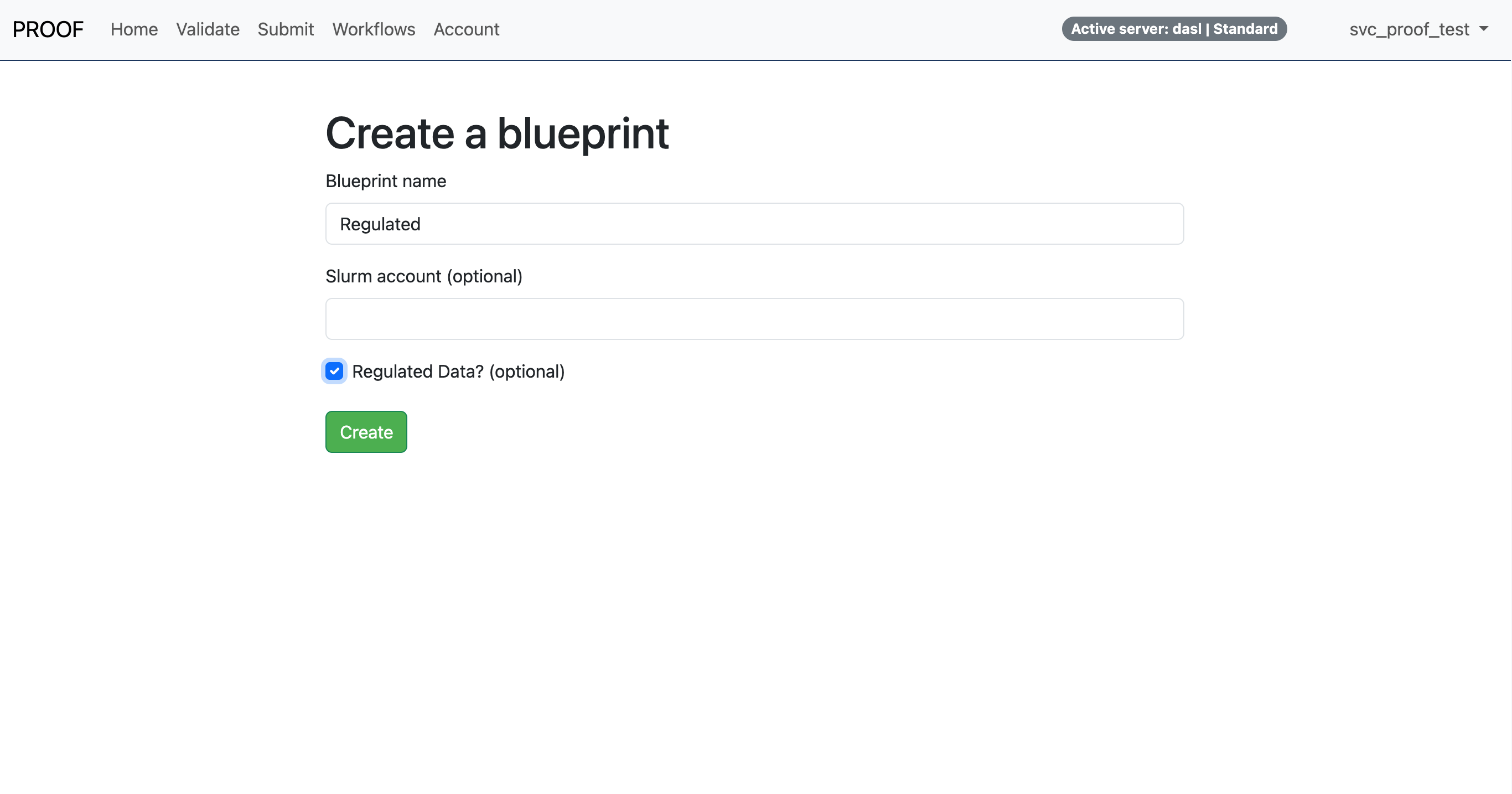
PROOF Workbench users are able to create Blueprints, which specify the configuration of PROOF Servers. Users can create a Blueprint that uses regulated data by navigating to the Account page and clicking the Create a New Blueprint button. When creating the Blueprint users can check the Regulated Data box, illustrated below.
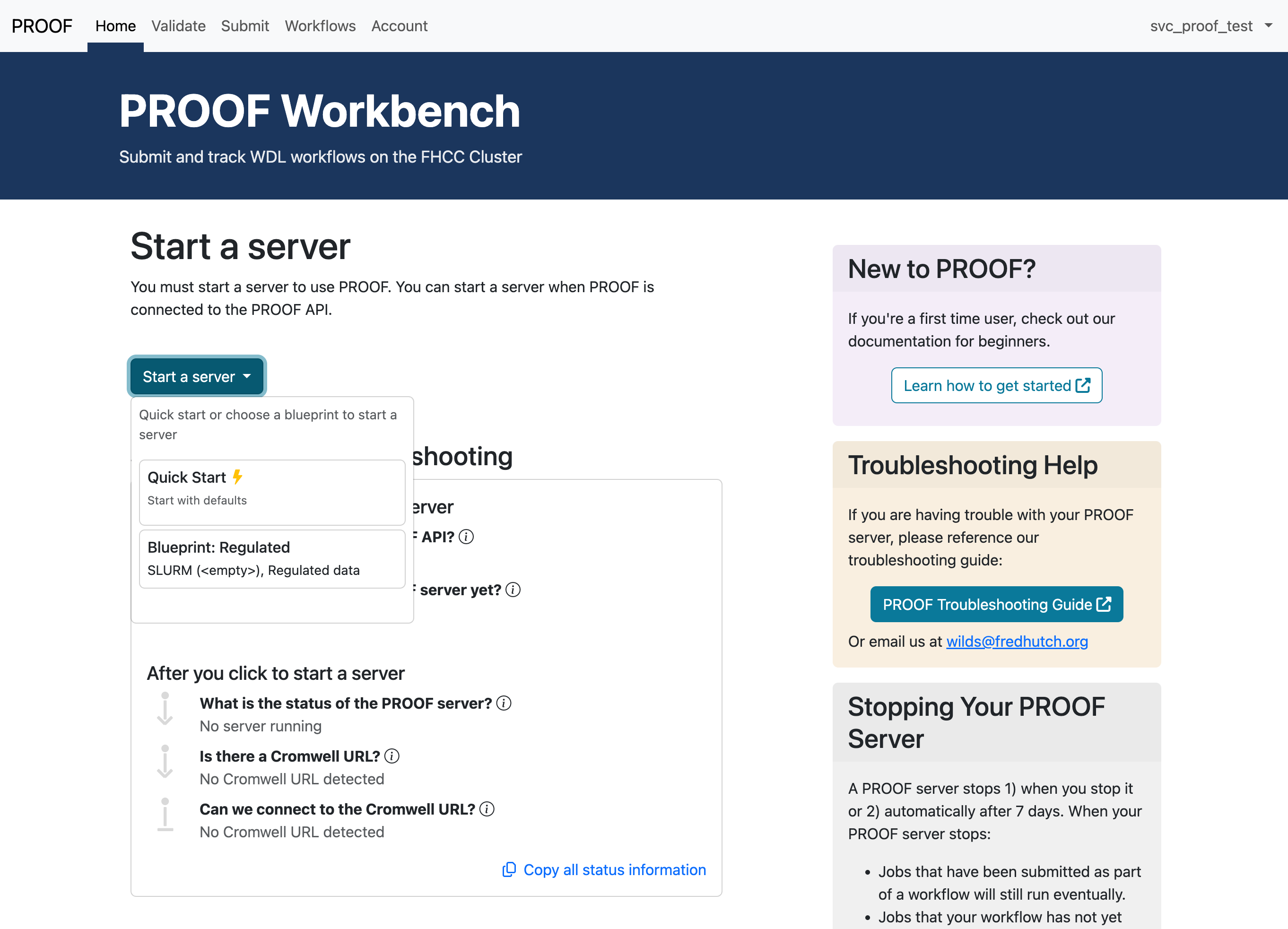
Users can then use this Blueprint to start a regulated PROOF server by selecting the Blueprint from the Start a server menu on the Home page, illustrated below.
If you already had a PROOF server running, you will need to stop that server, and then start a new regulated server.
Once the server starts, there will be several indications that you are using a regulated PROOF server:
- You will receive an email confirming that you started a regulated server.
- A badge that says “Active sever: Regulated” will appear in the navigation bar on every page.
- On the Home page, under Directories and URLs, the scratch directory will
be a sub-folder of
/fh/regulated/. - On the Home page, under Account, start, and stop times,
“Regulated Data?” will be
TRUE.
How to Start a PROOF Server with Regulated Storage with PROOF Legacy
In the PROOF Server tab, when you click “Start a PROOF Server” you will see a checkbox with the option to use regulated data:
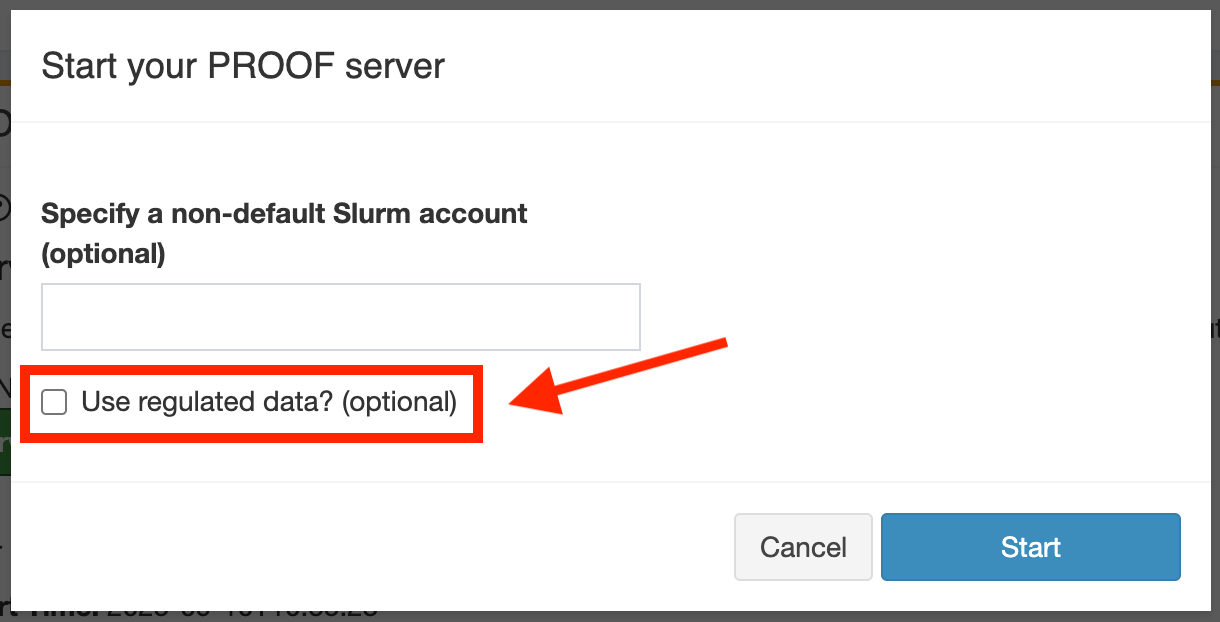
Check the box and click “Start.”
If you already had a PROOF server running, you will need to stop that server, and then start a new regulated server.
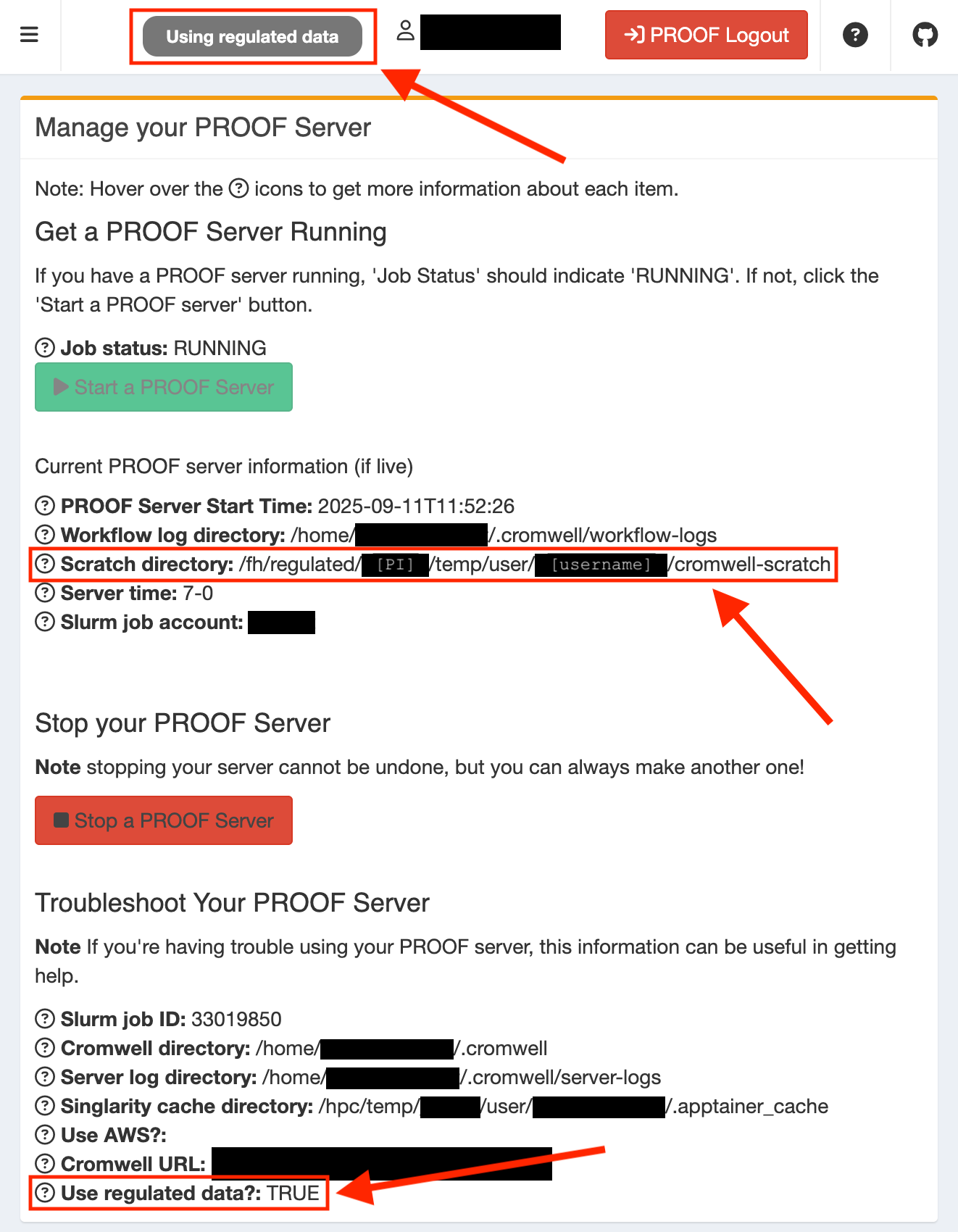
Once the server starts, there will be several indications that you are using a regulated PROOF server:
- You will receive an email confirming that you started a regulated server.
- A badge that says “Using regulated data” will appear in the navigation bar on every page.
- On the server tab, the scratch directory will be a sub-folder of
/fh/regulated/. - On the server tab, “Use regulated data” under the troubleshooting heading
will be
TRUE.
Important Considerations When Using a Regulated PROOF Server
- Good data stewardship practices, which should be outlined your
data stewardship plan, still apply when using this resource.
A regulated PROOF server’s main feature is that it automatically utilizes a user’s
tempdirectory within/fh/regulated/. You can read more about these directories on our page about regulated storage. - Use of a regulated PROOF server is necessary but not sufficient for using PROOF in a compliant manner. Please be sure the WDL you are running with PROOF stores appropriate artifacts on regulated storage. We are happy to help make sure your WDLs are compliant if you schedule a Research Computing Data House Call.
Resources
- PROOF Workbench Tutorial - An introduction to PROOF Workbench
- PROOF Legacy How-To - Step-by-step guide to using PROOF Legacy
- WDL Workflows Guide - Learn the fundamentals of WDL
- WDL Execution Engines - Understanding Cromwell and other WDL engines
- WILDS WDL Library - Tested, ready-to-use WDL workflows and modules